The COG Factory / COG Factory Experiments
Kraken Wave
These are 640×480 working frames — the HUD and the cog's own on-screen readouts are part of the picture. This project has not been re-shot yet.
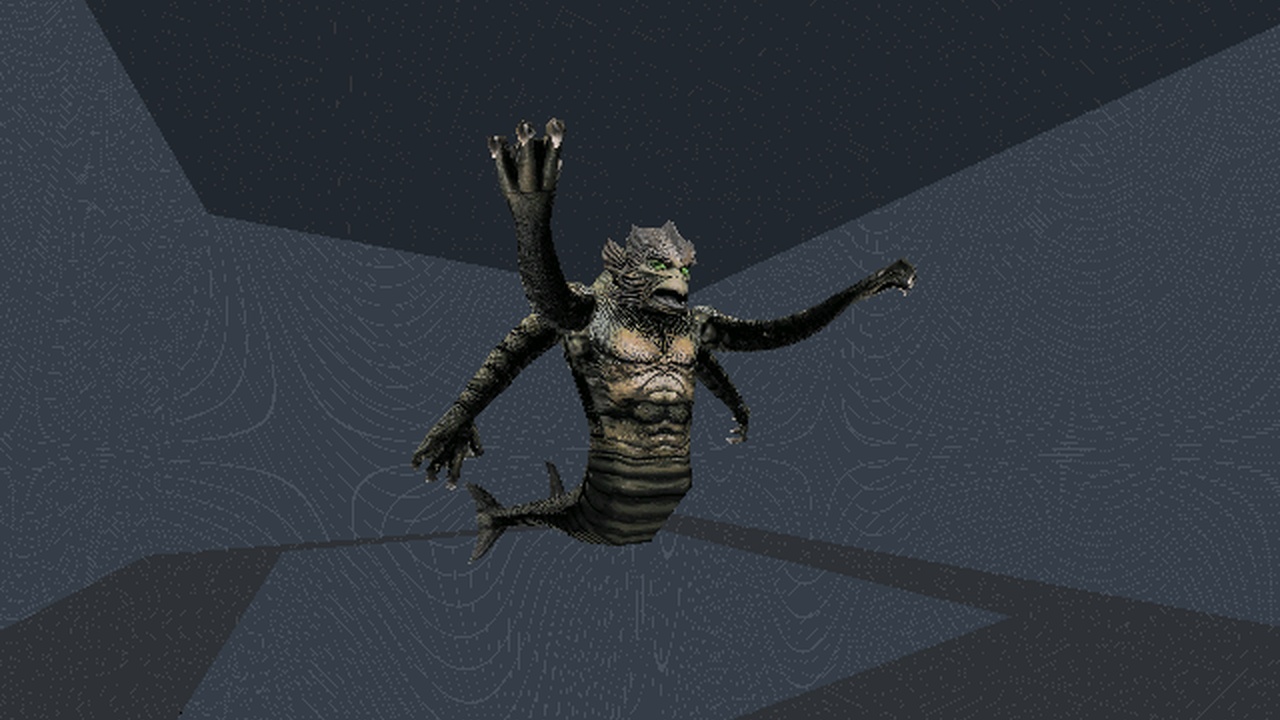
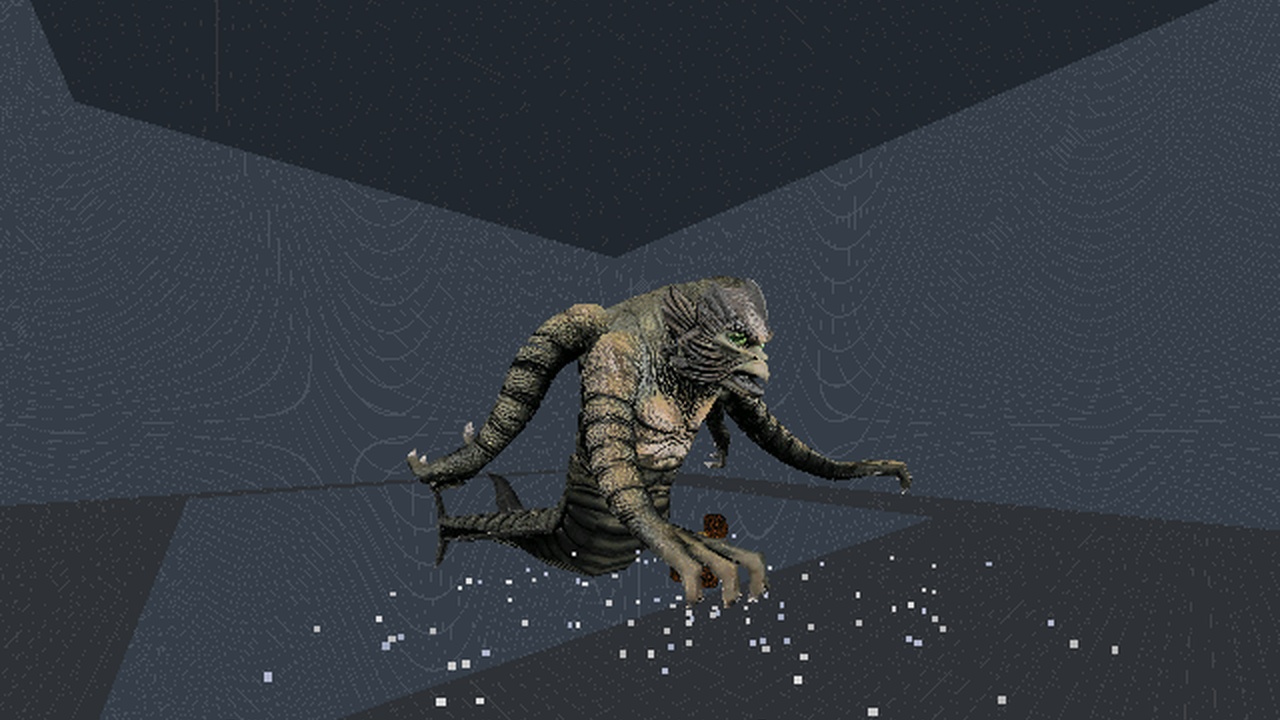
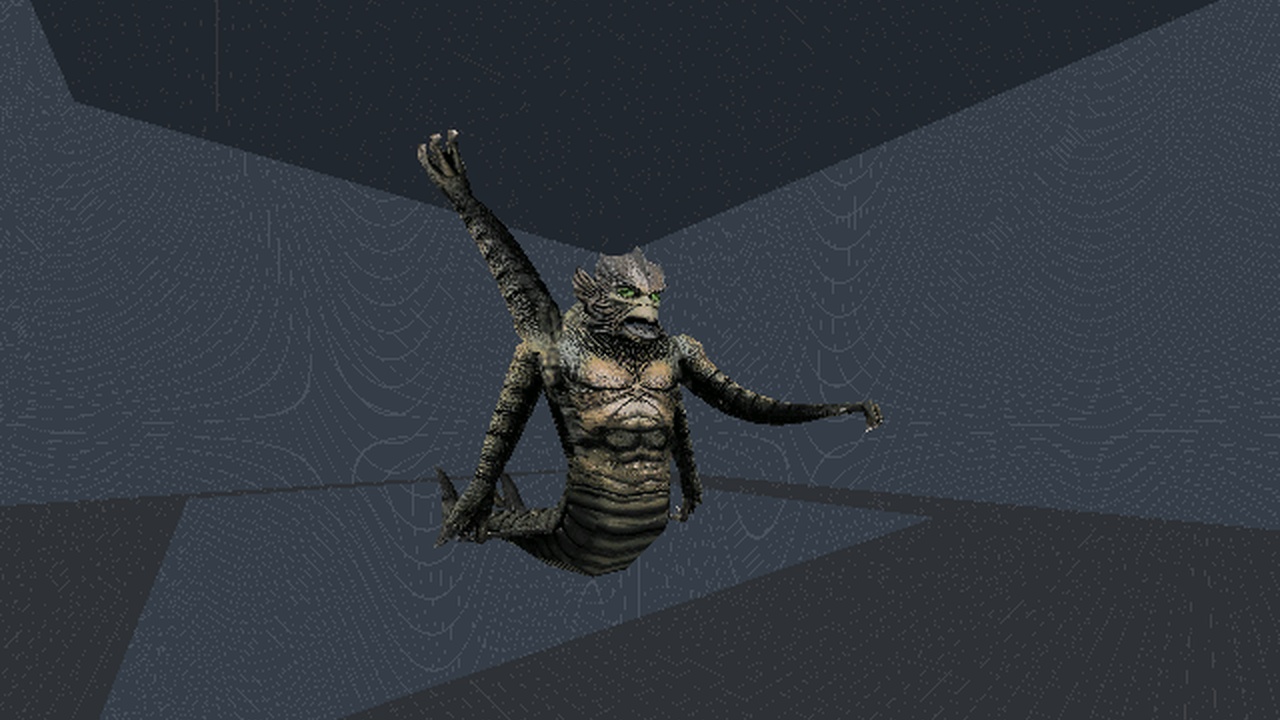
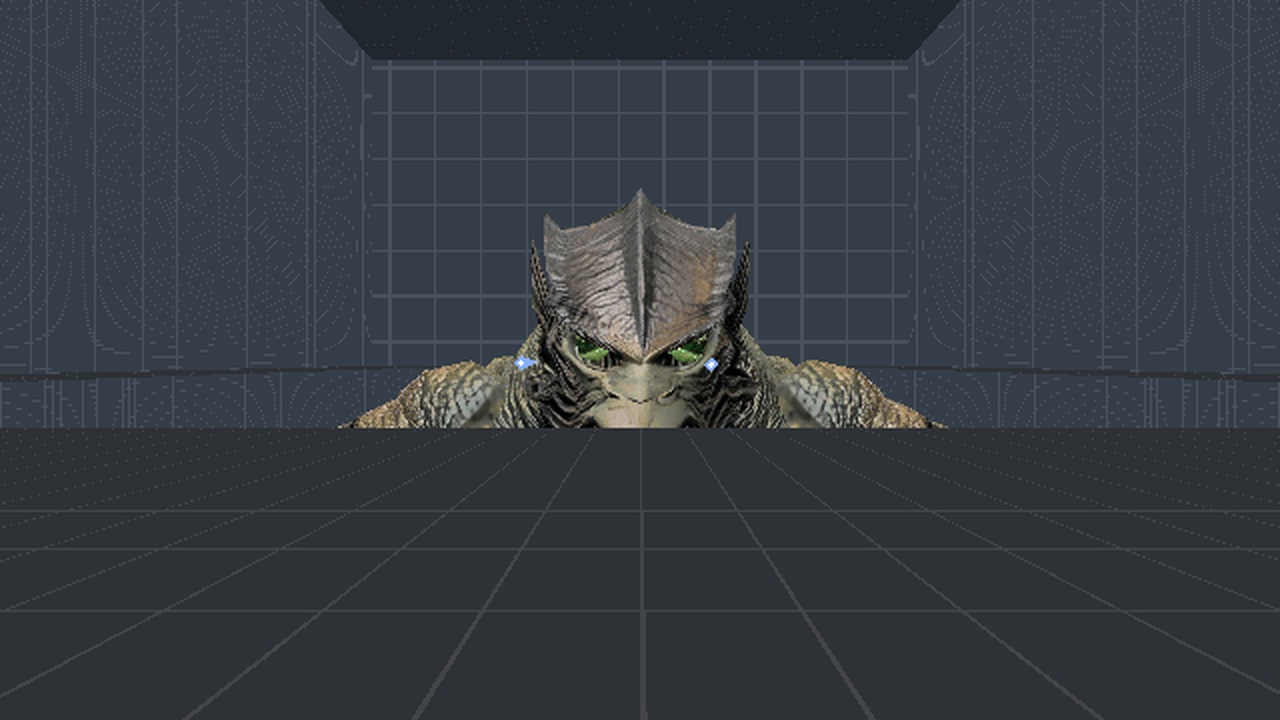
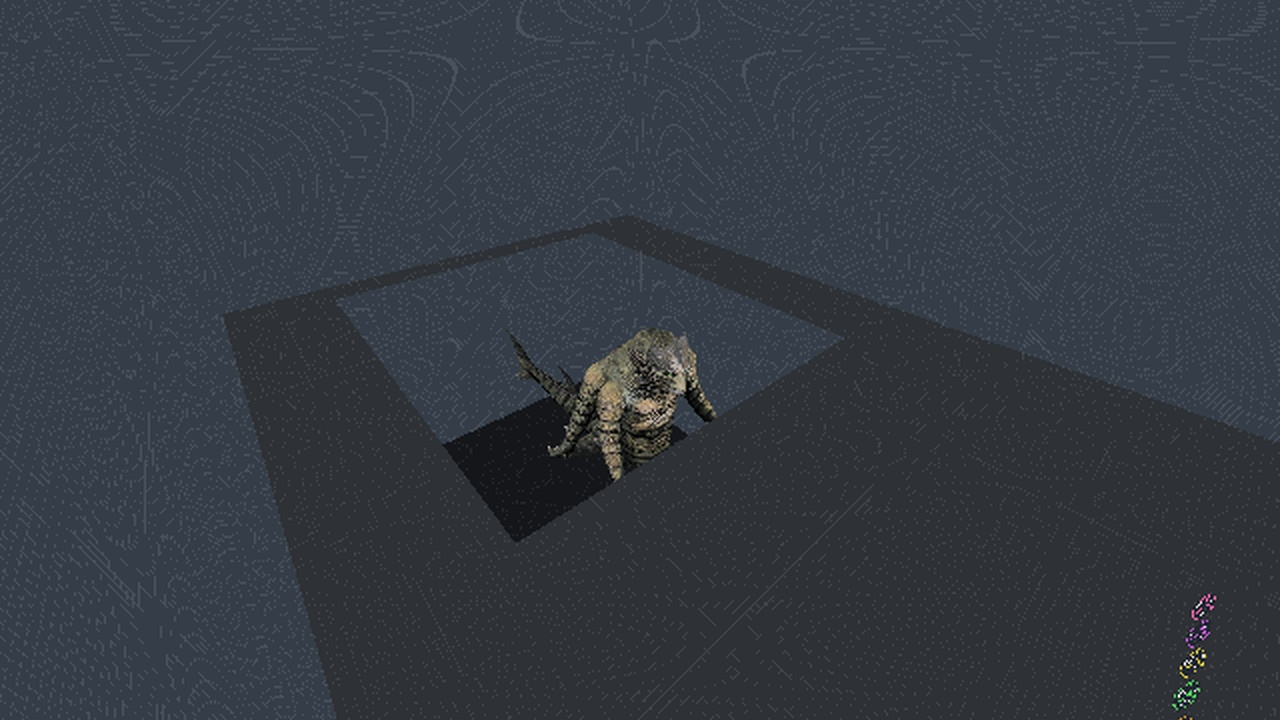
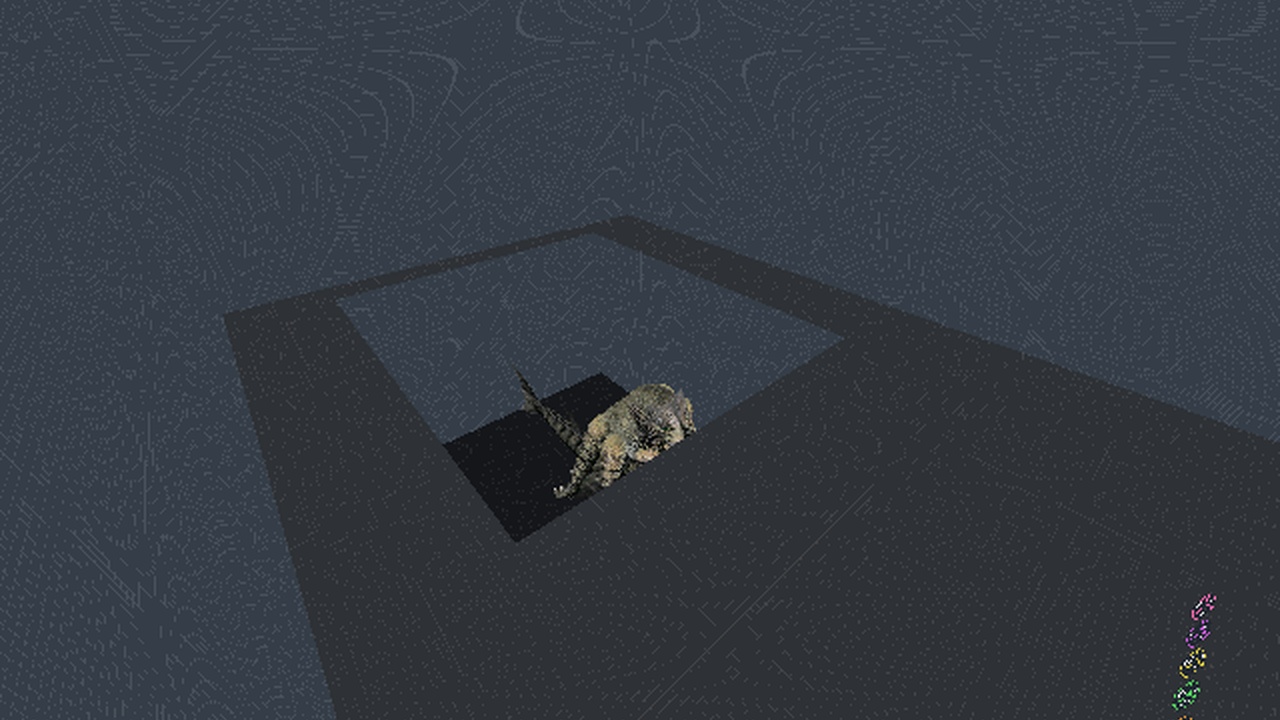
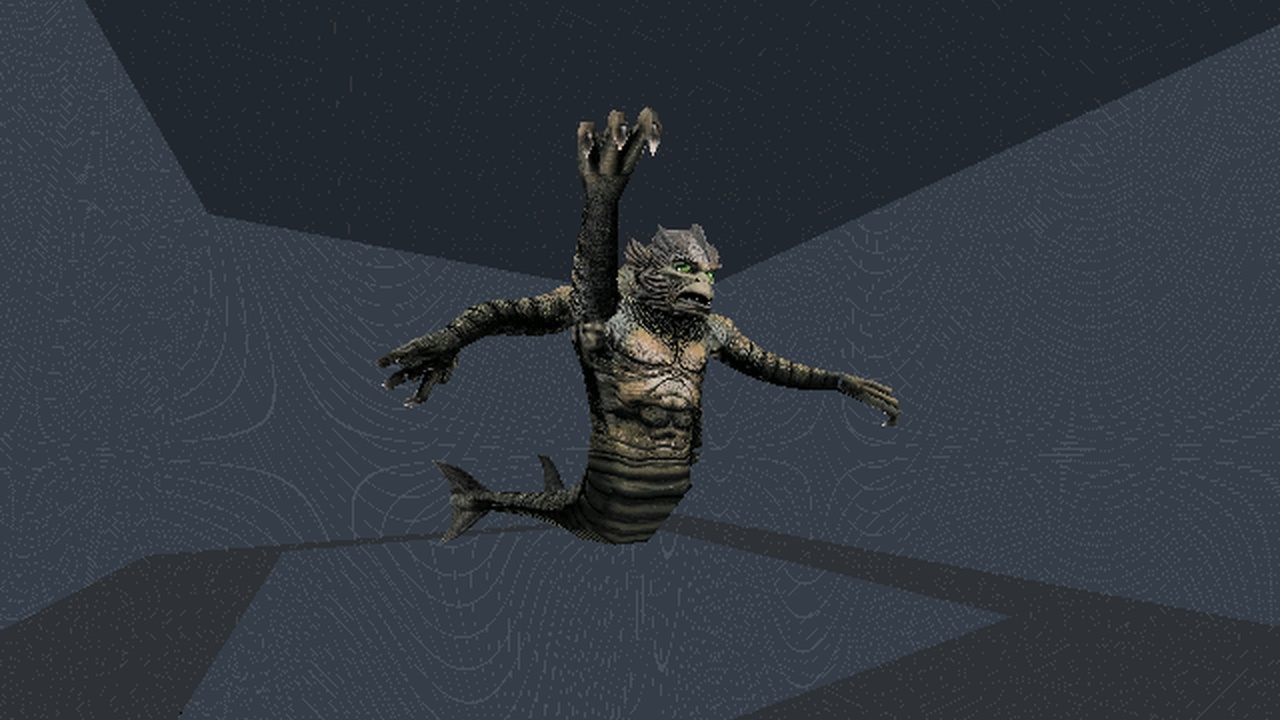
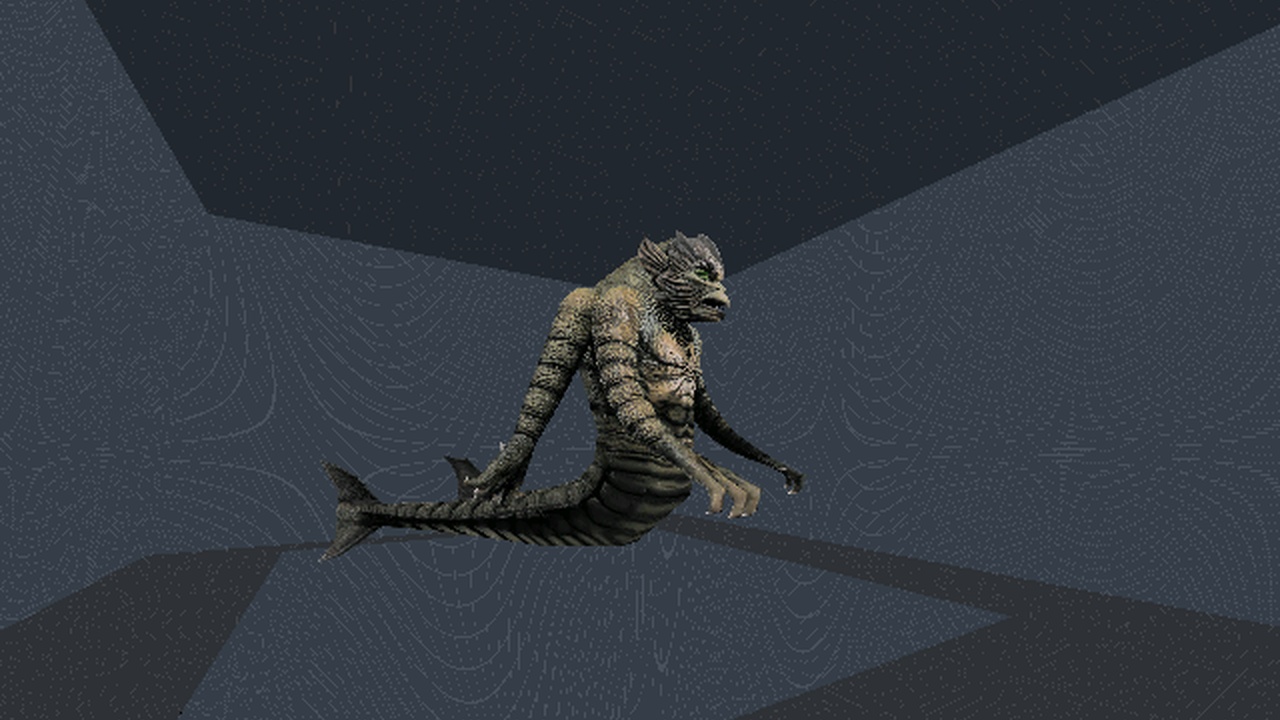
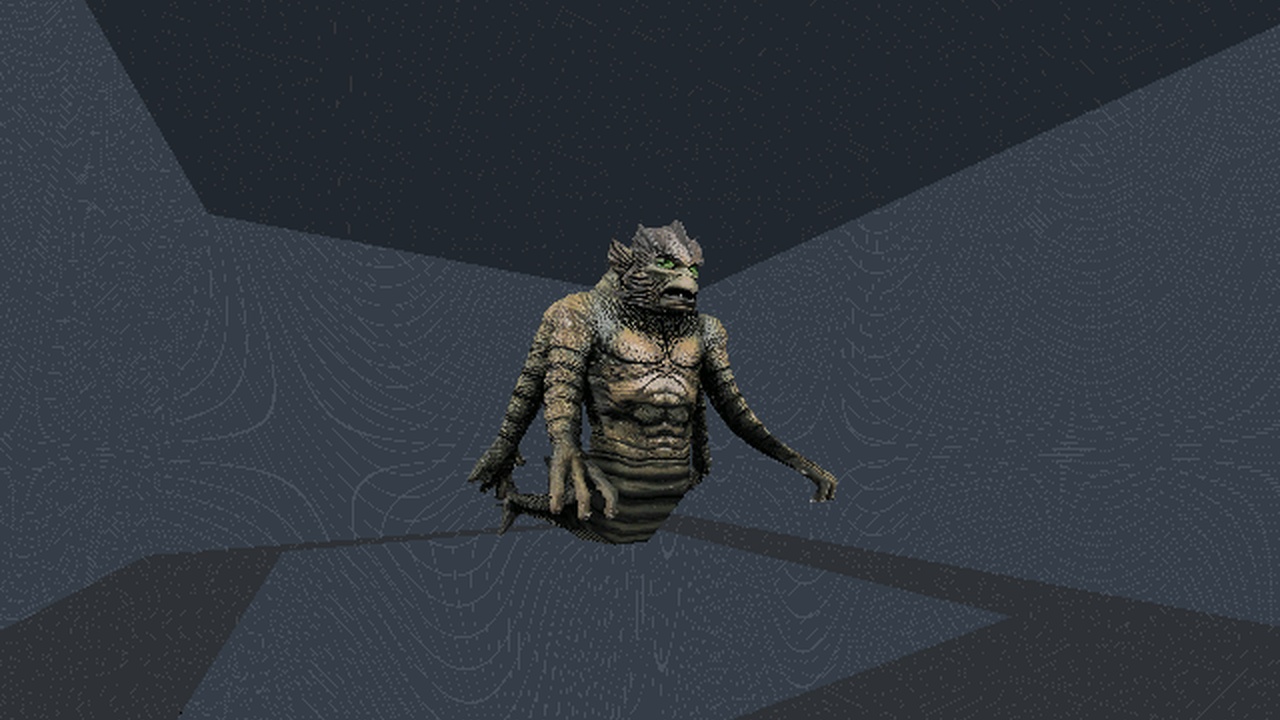
A hall with a pit, Gnarly's giant four-armed kraken over it, and seven buttons. Make it wave its arms, smash the floor in front of it with a hand, fire concussion bolts from its eyes at you, sink into the pit and rise back up a stage at a time, turn to face you -- and do the Harlem Shake. The model came with no rig at all; every motion is a generated keyframe on a hierarchy rewritten around the author's own meshes. The groundwork for the kraken boss fight (p59).
$$DUMMY with every offset and pivot zero, so a rotated node swings about the model's origin. The engine builds a node as parent * T(-parent.pivot) * R T(pos) * T(pivot) (rdThing_AccumulateMatrices), so a joint at model-space J is pos = J - J_parent, pivot = -J: rewriting HIERARCHYDEF alone reproduces the model to 1e-9 per vertex offline and 1 pixel in the engine, and consecutive pieces of the one pre-cut arm share a ten-vertex ring whose centroid IS the joint. A key's entries are ABSOLUTE pos and pyr per node INDEX, and a model needs a puppet only a template's puppet= gives -- stock ra.pup, LucasArts' blank one. The located control that earned the checker its keep: the same key on Gnarly's flat hierarchy flies the kraken apart and still passes a motion and loop test; only a one-connected-piece silhouette against an empty-room plate catches it.Iteration 2, a boss's moves. One-shot keys (
PlayKey flags 0x20) layer over the wave loop and hand their nodes back on fade; gameplay is timed off the key (an impact at 1.60 s), because markers are engine events. A huge thing moves by SetThingPos from a pulse, which never re-sectors it and pushes a value jkspec calls void; its eye bolts fire from ghost things placed on the eyes, because FireProjectile births a bolt at the shooter's origin. And the stage heights are derived from the poses: the smash's hand lands on the floor, the eyes sit at the player's eye height.The Harlem Shake (button H): a 6.4 s loop on a 150 BPM grid -- a beat is exactly six key frames at 15 fps -- an opener, a hunched shoulder shake and a full-body drop, each section enveloped so the loop opens and closes on rest. Its lesson is a STEP BUDGET: the first drop moved an arm 93 degrees in one key frame, which reads as a limb teleporting, not shaking; capped at about 4 Hz with a beat for every big swing, the worst step is 40 degrees. Gate 16 of 16 with three located controls, GOB build 3; retail JKDF2 has not run it.
| project | p58-kraken |
|---|---|
| date | 2026-09-30 |
| package | P58.GOB, readme.txt, screenshot.jpg |
| build | 3 — 2026-09-30 (first packaged 2026-09-30) |
| sha256 | 4d08fd07c15f5d2c5c63bd3290b4c82162715fc66a5011626f479e350c81e279 |
Installing it
- Unzip it.
- Drop the
.GOBinto theepisodefolder of a Jedi Knight install — the one that already hasJK1.GOBin it. - Pick it from the episode list. On a libretro frontend, load the
.GOBitself as content.
The GOB carries its own level, cogs, models, and materials. Everything else is read from the stock
resource/, and there is no retail game data in the zip.
These are living projects, not finished releases. A level is rebuilt whenever something is learned — a lighting rule, a texture orientation, a whole detail pass — and it keeps its filename through all of it. The build number is how to tell which one you have: it is printed in the readme inside every zip, and it only moves when the level's bytes actually change.
Screenshots
All 9 tiles are harness working frames (640×480), flagged on the tile: not yet re-shot at 1280×720 with the HUD and dev text off.
The readme that ships with it
========================================================================
 Jedi Knight Level

 P58.GOB

 A hall with a pit, a giant four-armed kraken over it, and six buttons.
 Make it wave its arms, smash the floor in front of it with a hand,
 fire concussion bolts from its eyes at you, sink into the pit and rise
 back up a stage at a time, and turn to face you. The groundwork for a
 kraken boss fight.

 [cogfactory / p58-kraken]

 BUILD 3  --  2026-09-30   (first packaged 2026-09-30)
 sha256 4d08fd07c15f5d2c5c63bd3290b4c821

 This level is not made or distributed by LucasArts
 Entertainment Co.
========================================================================

THIS PACKAGE
------------------------------------------------------------------------
  P58.GOB          the level
  readme.txt       this file
  screenshot.jpg   what it looks like

INSTALLATION
------------------------------------------------------------------------
Drop P58.GOB into the `episode` folder of a Jedi Knight install (the one
that already has JK1.GOB in it) and pick it from the episode list.
Nothing else needs to change: the GOB carries its own level, cogs,
models and materials, and reads the stock resource/ for everything else.

On a libretro frontend such as RetroArch, unzip first and put P58.GOB in
the episode folder of your Jedi Knight folder, then load it from there.
The core treats the folder above the GOB's folder as the game folder,
reads the episode from episode/P58.GOB inside it, and will not start
unless that folder also holds resource/ (Res2.gob) from a real install.

CONTROLS
------------------------------------------------------------------------
  six button posts in front of the kraken, left to right: W wave (on/off), S smash, E eye bolts, U up a stage, D down a stage, T turn to face you (on/off)
  Use (Space) on a post; the posts are low, so look down at them
  the stages are sunk (all of it in the pit), eyes (its eyes level with yours), torso, and full (where it starts)

NOTES
------------------------------------------------------------------------
  the smash lands on the floor in front of the pit at the TORSO stage;
  at the other stages the hand comes down in the air

  the eye bolts are aimed at you when they fire. They are the stock
  enemy concussion bolt; stand clear of the posts or the post you
  pressed takes the hit

  the smash throws rock chunks and dust and its blast shoves anything
  within about a kraken's hand of where it lands

  the kraken is Gnarly's krakityasshoe.3do with ONLY its hierarchy
  rewritten: the same meshes, vertices and textures, given joints at
  the shoulders, wrists, neck, jaw, waist and down the tail

  the animations are generated keyframes in 3do\key: krkwave (a 4 s
  loop), krksmash (3.3 s) and krkeyes (2 s). The smash and the volley
  play OVER the wave if it is running

  the kraken uses the stock blank puppet ra.pup, so the GOB carries no
  .pup

  krakrig.3do points its eyes at crackereyes.mat, the file handed
  over; Gnarly's original names krackereye.mat

  cracker.mat is 2048 x 2048. OpenJKDF2 draws it; whether retail JKDF2
  does is part of the retail test

  tested in OpenJKDF2 only; retail JKDF2 has not run it

WHAT IS IN THE GOB
------------------------------------------------------------------------
        90  episode.jk
     12686  jkl\kraken.jkl
     11599  cog\p58krak.cog
    644367  3do\krakrig.3do
      2254  3do\p58bdanc.3do
      2254  3do\p58bdown.3do
      2254  3do\p58beyes.3do
      2254  3do\p58bsmas.3do
      2250  3do\p58btn.3do
      2254  3do\p58bturn.3do
      2248  3do\p58bup.3do
      2254  3do\p58bwave.3do
    501080  3do\key\krkdance.key
     46760  3do\key\krkeyes.key
     64838  3do\key\krksmash.key
    141870  3do\key\krkwave.key
   8388748  mat\cracker.mat
    131212  mat\crackereyes.mat
      8332  mat\p58bdanc.mat
      8332  mat\p58bdown.mat
      8332  mat\p58beyes.mat
      8332  mat\p58bsmas.mat
      8332  mat\p58bturn.mat
      8332  mat\p58bup.mat
      8332  mat\p58bwave.mat
      8332  mat\p58ceil.mat
      8332  mat\p58floor.mat
      8332  mat\p58pit.mat
      8332  mat\p58wall.mat

  10052924  bytes in 29 entries

CREDITS
------------------------------------------------------------------------
  The kraken (krakityasshoe.3do, cracker.mat, crackereyes.mat) is by
  Gnarly. The rig, the animations, the cog, the buttons and the hall
  were generated by tools/cogfactory in the openjkdf2_libretro tree.
  The sounds, the bolt, the rocks and the dust are stock JKDF2.

  The readme format is styled after SM Sith Lord's cog headers,
  because his are the ones everybody read.

========================================================================