The COG Factory / COG Factory Experiments
The Floating Mod Menu
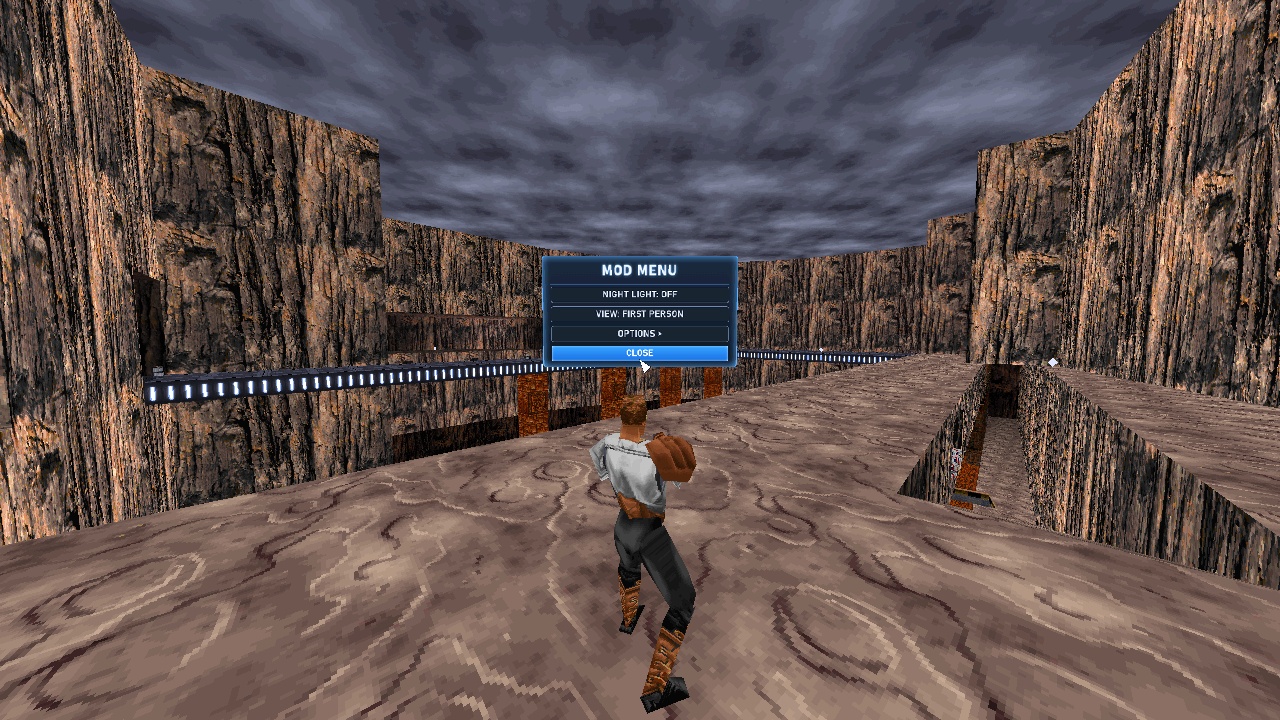
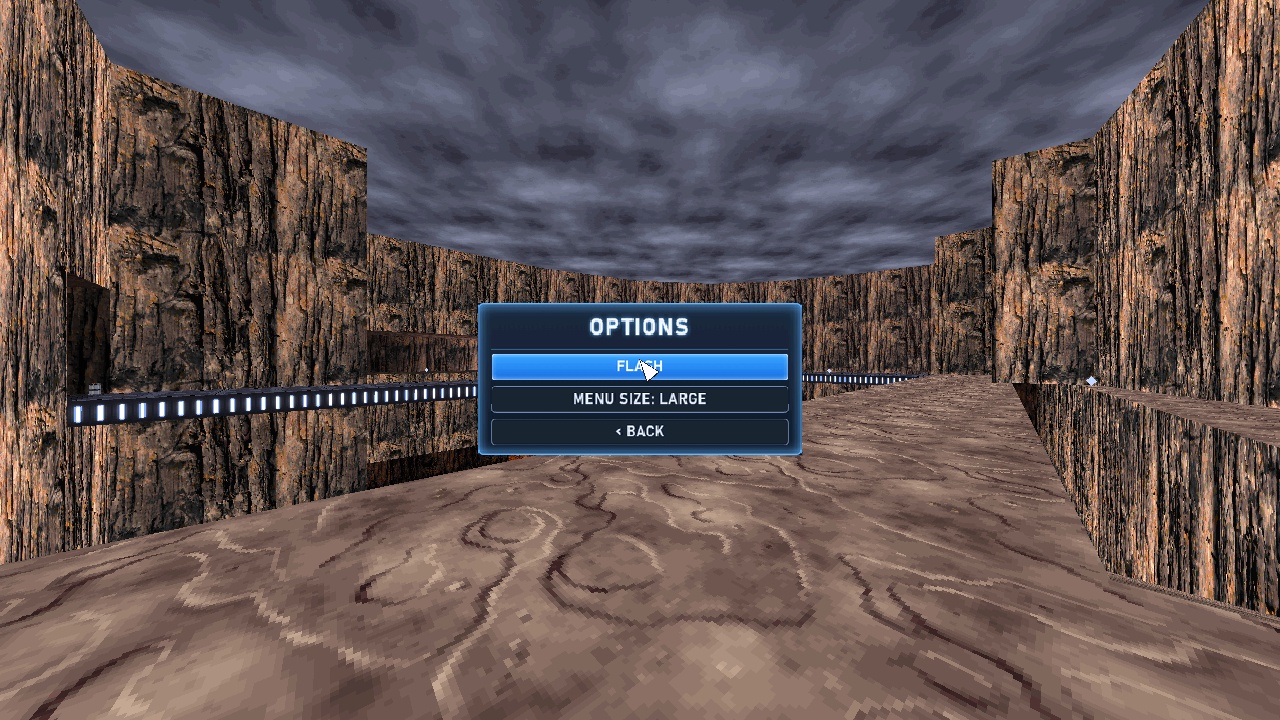
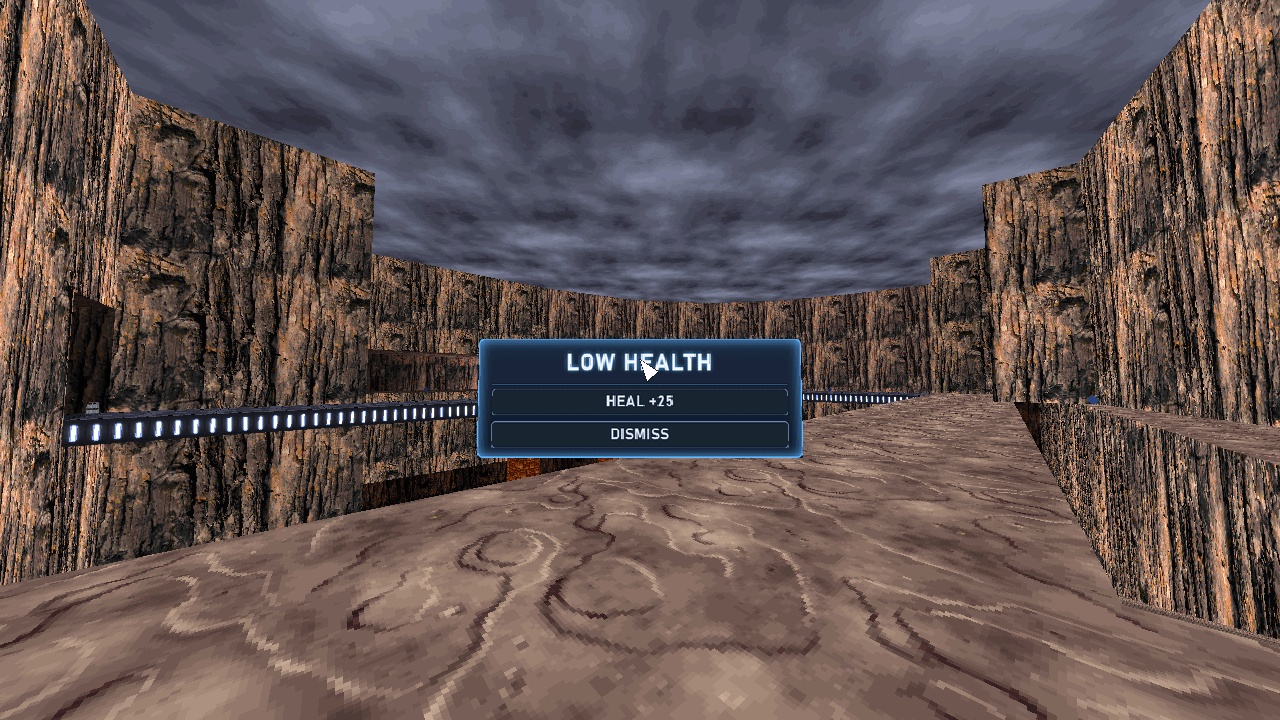
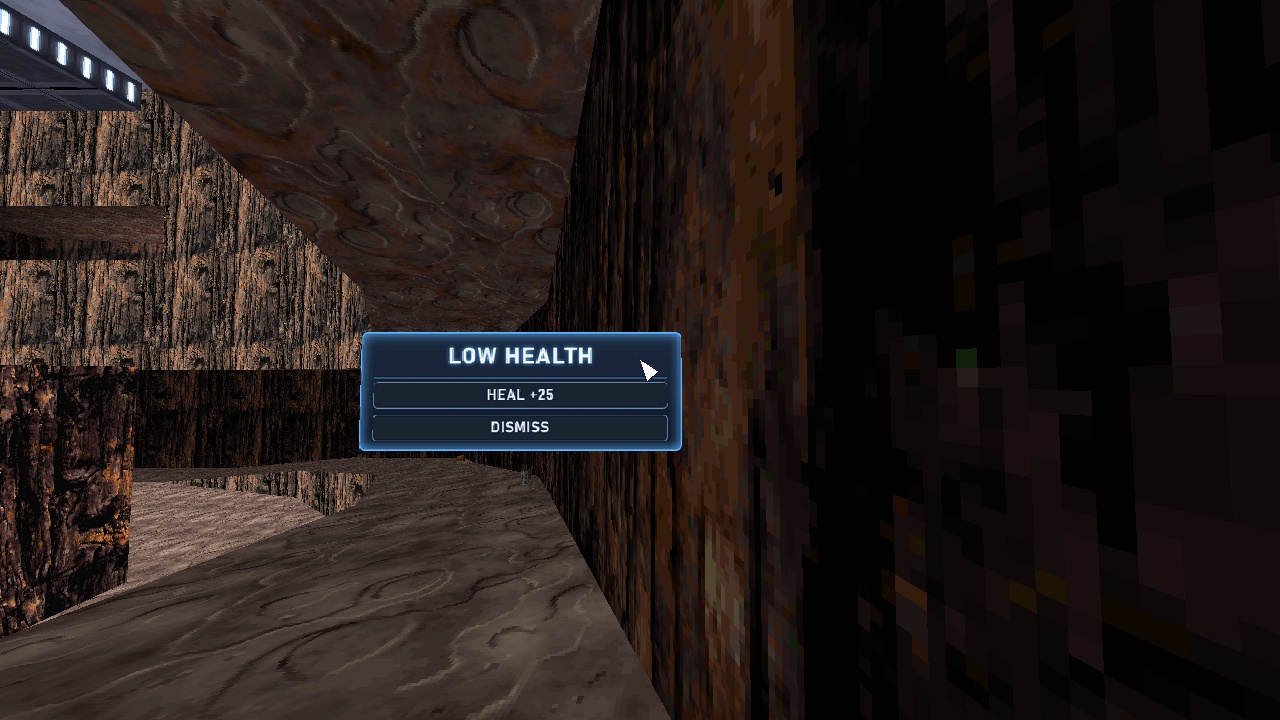
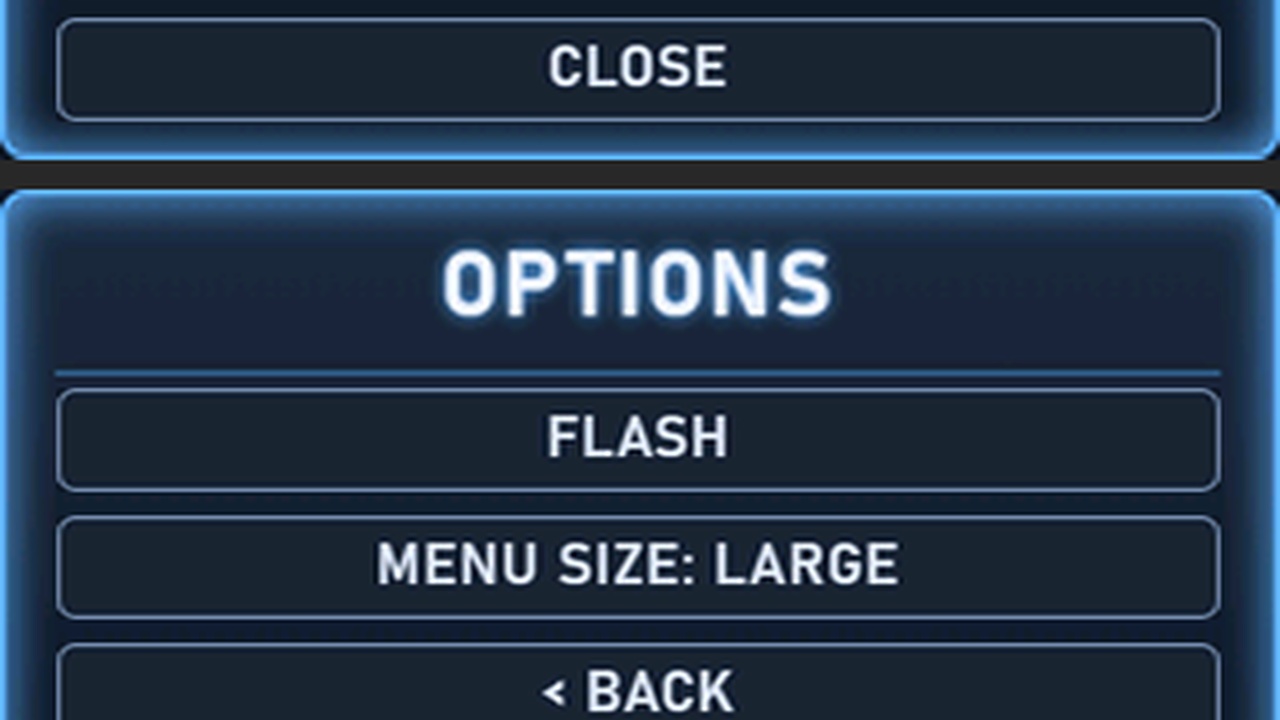
An in-game menu made of things, not walls, so any mod can show one inside levels it does not ship: a wide glass panel that floats in front of you and eases after you, a cursor where your gaze meets it, and the button under the cursor lit. Press the Mod Menu key to open it, look at a button and press the key again to choose it; look away and press it to close. It is a kit every mod builds into its own static world, and this GOB is its demo: a Mod Menu, an Options submenu, and a LOW HEALTH menu that pops up on its own.
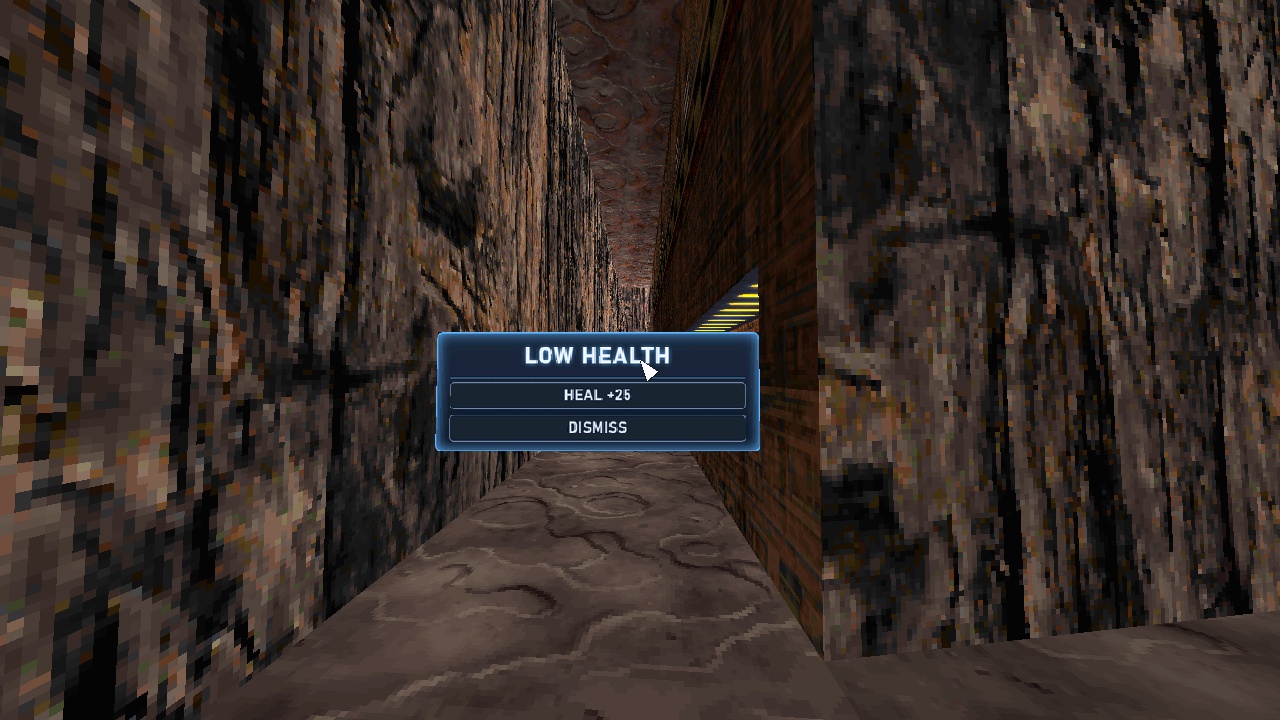
Following you without walking into walls took invisible probes. An object that collides with nothing also ignores walls, and the engine only re-files it in a new room when it crosses a doorway, so a panel that cut a corner stayed filed in the old room. Six invisible particles fly from you each frame, along the rays to the panel's centre and corners. Particles bump into walls but into nothing else, so they can't shove you. Where one is deflected, the change in its speed gives the wall's angle and the exact point it was hit. In a tight corridor the panel comes nearer, shrinks and slides aside, and looks the same size: 0 of 540 frames with a corner in a wall, against 342 for a panel that does not fit itself.
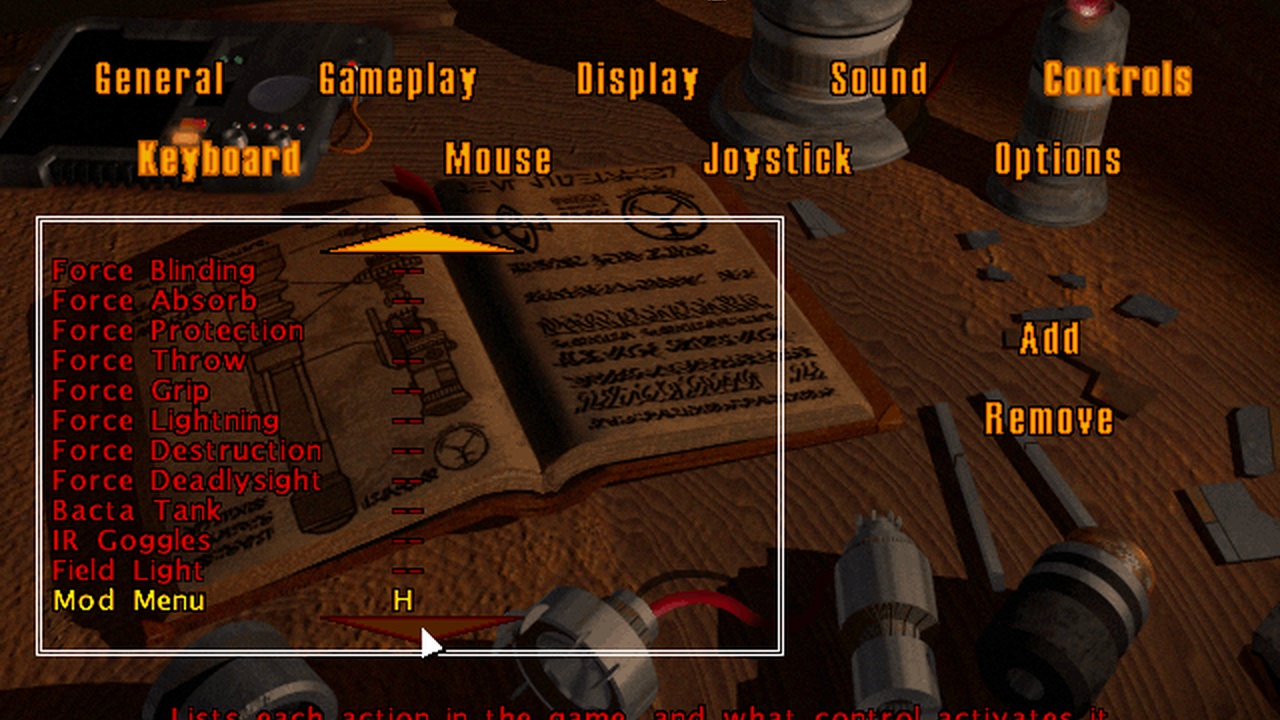
The gaze is computed, never fired. Two invisible markers above and ahead of you give the exact pitch of your head, and the point you look at on the panel follows in closed form: 112 head poses, every one picking the button an independent calculation picks. The key is a new inventory row in a complete copy of LucasArts' table plus one new line of game text, without which the Controls screen would never list it; a mod can have three such keys. And a direct start in the libretro core drops every mod key's binding, because it reads your profile before the key exists. The owner ran it in real Jedi Knight: it worked great.
| project | p69-mod-menu |
|---|---|
| date | 2026-10-03 |
| package | P69.GOB, readme.txt, screenshot.jpg |
| build | 1 — |
| sha256 | b49d137d76078fa2cb6933cb5da1933b7d9906e42e60c60ca193b2e816d8da1d |
Installing it
P69.GOBis a mod. Unzip it and put the GOB in yourmodsfolder. It cannot be used together with P68, P70 or rbots.- Setup → Controls → Keyboard: bind Mod Menu to a key, then press it in any level.
The GOB carries its own static world (static.jkl), the inventory table (items.dat) and the game's text (jkstrings.uni), each LucasArts' complete with the mod's lines added, plus the menu's cogs, models and textures.
These are living projects, not finished releases. A level is rebuilt whenever something is learned — a lighting rule, a texture orientation, a whole detail pass — and it keeps its filename through all of it. The build number is how to tell which one you have: it is printed in the readme inside every zip, and it only moves when the level's bytes actually change.
Screenshots
One of these 7 tiles is a harness working frame (640×480), flagged on the tile: not yet re-shot at 1280×720 with the HUD and dev text off.
The readme that ships with it
========================================================================
 Jedi Knight Mod

 P69.GOB  --  THE FLOATING MOD MENU

 An in-game menu made of things, not walls: a wide glass panel that
 floats in front of you and eases after you as you move, with a cursor
 where your gaze meets it. Look at a button and press the Mod Menu key
 to choose it. It is a kit other mods build in; this GOB is its demo,
 and works in every level, single player and multiplayer.

 [cogfactory / p69-mod-menu]

 BUILD 1  --  2026-10-03
 sha256 b49d137d76078fa2cb6933cb5da1933b

 This mod is not made or distributed by LucasArts
 Entertainment Co.
========================================================================

THIS PACKAGE
------------------------------------------------------------------------
  P69.GOB          the mod
  readme.txt       this file
  screenshot.jpg   what it looks like

INSTALLATION
------------------------------------------------------------------------
  RETAIL JEDI KNIGHT: copy P69.GOB into the Resource folder of your Jedi
  Knight install, beside Res1hi.gob and Res2.gob. Keep its name: Jedi
  Knight mounts every GOB in Resource in name order and the first one
  holding a file wins, and the mod replaces three of LucasArts' files
  (below) that Res1hi.gob and Res2.gob also carry -- P69.GOB sorts
  before both. To remove the mod, delete P69.GOB.

  OPENJKDF2 / THE LIBRETRO CORE: put P69.GOB in the mods folder of your
  Jedi Knight folder.

  IT REPLACES three whole files, each a COMPLETE copy of LucasArts' with
  the mod's lines added: jkl\static.jkl (the world every level shares),
  misc\items.dat (the inventory table: one new row, the Mod Menu key)
  and ui\jkstrings.uni (the game's text: one new line, the key's name in
  the Controls list). So it cannot be installed together with another
  mod that ships any of those three (P68.GOB, rbots,
  XtremeFuckin'Warfare): the first GOB in name order wins and the other
  mod's copy is ignored.

BIND THE KEY (once)
------------------------------------------------------------------------
  Setup -> Controls -> Keyboard: the list now ends with "Mod Menu".
  Select it and press the key you want (this readme assumes H). Jedi
  Knight remembers it in your player profile.

  A mod gets at most three such keys: the engine has twenty and
  LucasArts' force powers and items use seventeen.

  OPENJKDF2 / RETROARCH, when the game is started straight into a level
  (the libretro core's default): that start reads your profile BEFORE
  the mod's key exists, so the binding is dropped and must be made again
  each session -- or start through the game's main menu (core option
  Boot mode = Game main menu). Retail reads the profile at the main menu
  and keeps it.

HOW TO USE IT
------------------------------------------------------------------------
  Press the Mod Menu key: the MOD MENU opens in front of you. Look at a
  button (a white wedge marks where your gaze meets the panel, and the
  button lights up blue) and press the key again to choose it. Look off
  the panel and press the key to close it. The menu never closes on its
  own.

  It follows you: it keeps its heading while you look around it, and
  swings round in front of you when you turn well away. In a tight
  corridor, against a wall or on a slope it moves closer, slides aside
  and shrinks so it never sits inside a wall -- it looks the same size,
  only nearer.

  Third person (F1): the panel floats above your head instead of at eye
  level; look up at it.

  The demo's menus:

  MOD MENU    NIGHT LIGHT: OFF/ON   your own light, brighter
              VIEW: FIRST/THIRD     switches the camera
              OPTIONS >             the submenu
              CLOSE
  OPTIONS     FLASH                 a blue screen flash
              MENU SIZE             LARGE / NORMAL / SMALL
              < BACK
  LOW HEALTH  pops up ON ITS OWN when your health falls below 40:
              HEAL +25 / DISMISS

  MULTIPLAYER: every player has a menu of their own that nobody else
  sees; nothing it does is sent over the network.

SAVING
------------------------------------------------------------------------
  Saving and loading with the menu open is safe: the menu's pieces are
  never written into a save, and the menu rebuilds itself on the same
  page after a load.

RETAIL TEST
------------------------------------------------------------------------
  Run in real Jedi Knight by the project's owner (2026-10-03): it
  worked. The project's own tests ran in its engine fork (openjkdf2).
  What a retail check covers:

  1. the game starts and a level loads with P69.GOB installed
  2. Setup -> Controls -> Keyboard lists "Mod Menu", and the key opens it
  3. the panel reads well, in first and third person, in dark and bright rooms
  4. the cursor sits where you look; the gazed button lights; the key chooses it
  5. a tight corridor / a wall: the panel never pokes into the wall
  6. your inventory, force powers, field light and bacta all still work
  7. save and load with the menu open
  8. multiplayer: your menu is yours alone
  9. health below 40: the LOW HEALTH menu pops up

CREDITS
------------------------------------------------------------------------
  Built in cogfactory for SM Sith Lord. Font: Bahnschrift. The hotkey
  route follows rbots and SM Sith Lord's XtremeFuckin'Warfare (the
  static world).